For music schools
Run a school of teachers from one calendar.
One calendar for every teacher and room, cover when a teacher is away, make-ups families book themselves, an enquiry form and a web page for your school, and your pupils brought over from a spreadsheet. Priced by teacher, never by pupil.
Teacher: $9 a month for the first teacher and $3 for each one after: $15 for 3 teachers, $30 for 8. No limit on pupils.
Last checked
Running the week
Who teaches whom, where and when, and every change to it.
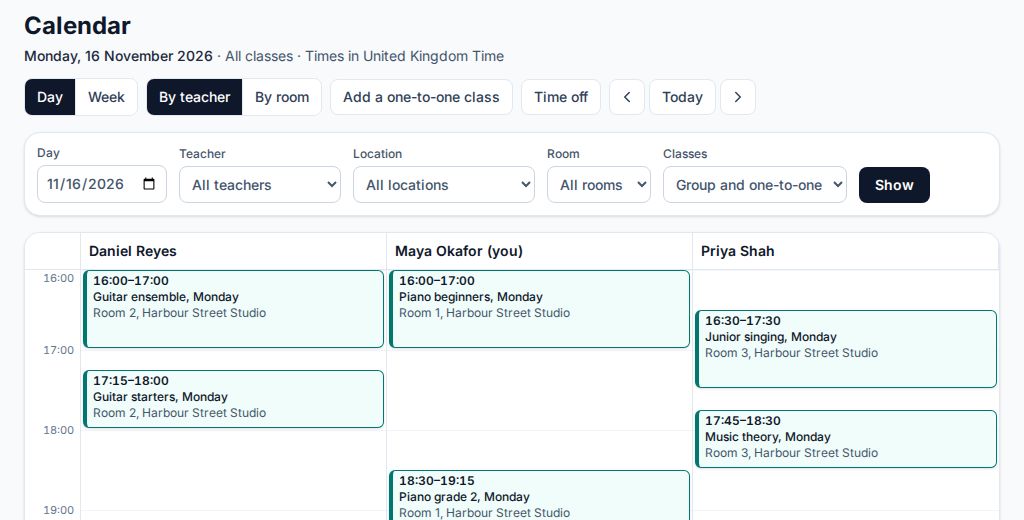
A calendar by teacher or by room
Every lesson in the school on one page: a day with a column for each teacher or each room, or one teacher's week, and a list on a phone. Teachers see their own pupils, and other teachers' lessons only as busy times.
Clashes checked first
Adding, moving or covering a lesson checks the teacher's and the room's other lessons first, even when two people book at the same moment.
Cover and teachers’ time off
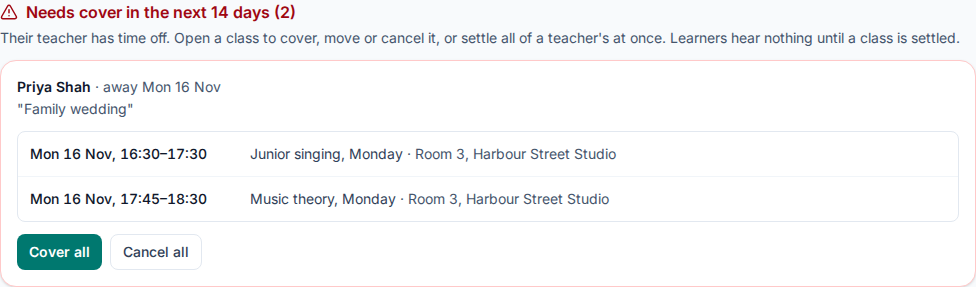
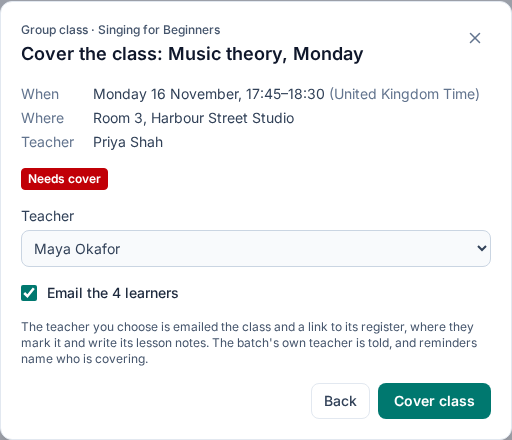
Teachers ask for time off and an admin approves it. Each lesson left without a teacher is marked Needs cover until it is covered, moved or cancelled, and you can cover or cancel them all at once. The substitute is emailed and opens only that lesson’s register and notes.
Teaching hours and open time
Set each teacher's weekly teaching hours. The calendar shades their free time, and a link from it fills in a new one-to-one lesson.
The teachers report
For a week, four weeks or a range, each teacher's available, booked, taught and open hours, with a CSV download, so you can see who has room for more pupils.
Moving and cancelling
Move one lesson, put it back, or cancel it, and tell the family by email. Add a school holiday once and every class is off, with the families told.
More on scheduling, cover and make-ups, or step through the music demo.
Pupils and families
Lessons for one pupil and the families who book them.
One-to-one lessons in one form
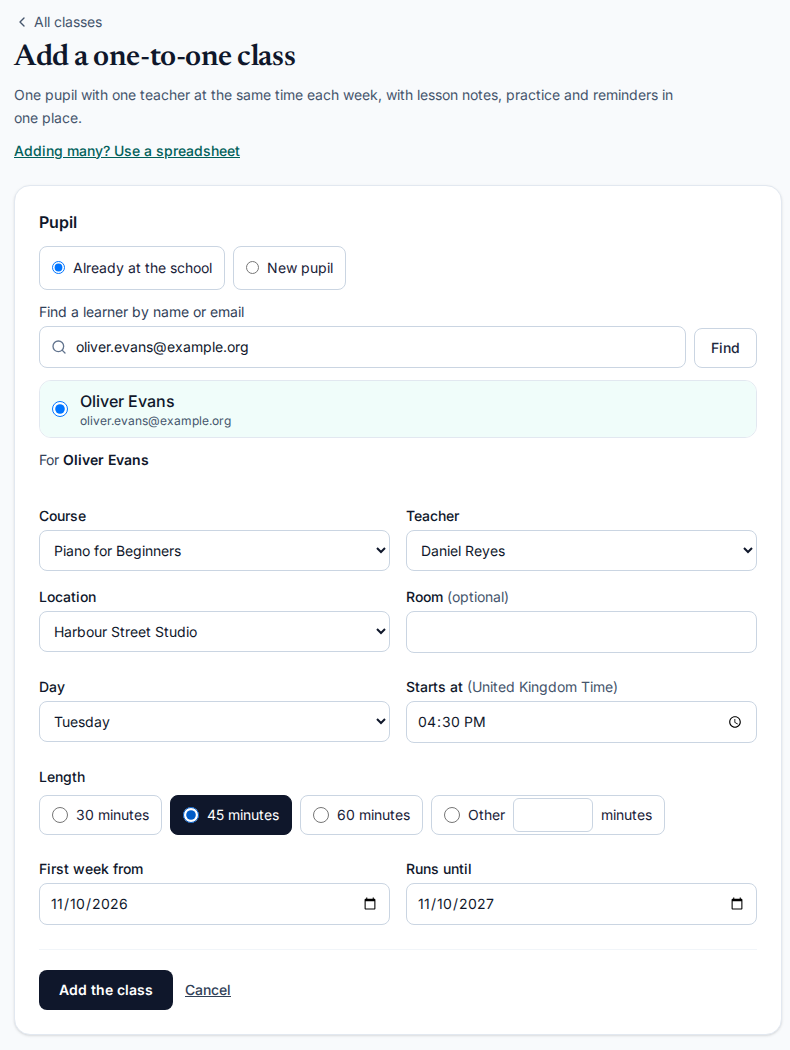
A pupil, a course, a teacher, a place, a day, a start time and a length. A new adult gets an account or an invitation, and a child joins when their parent accepts. Each lesson has its own register, notes, practice log and reminders.
Make-ups families book
Families say when a pupil cannot come. Your own rules for notice, how long a credit lasts and how many a pupil can hold decide whether that earns a make-up credit, and the family books it into their teacher's open time. Staff can give, withdraw and book credits too. Make-ups are off until an admin turns them on.
Lesson notes and practice
After each lesson, a note on what to practise goes to the pupil or their parents. Pupils log practice against a goal you set, and a metronome, tuner and drone sit beside it.
Recorded takes and letter grades
Set a piece, have pupils record a take on a phone, and grade it with a letter and a comment, or reply with a recording of your own.
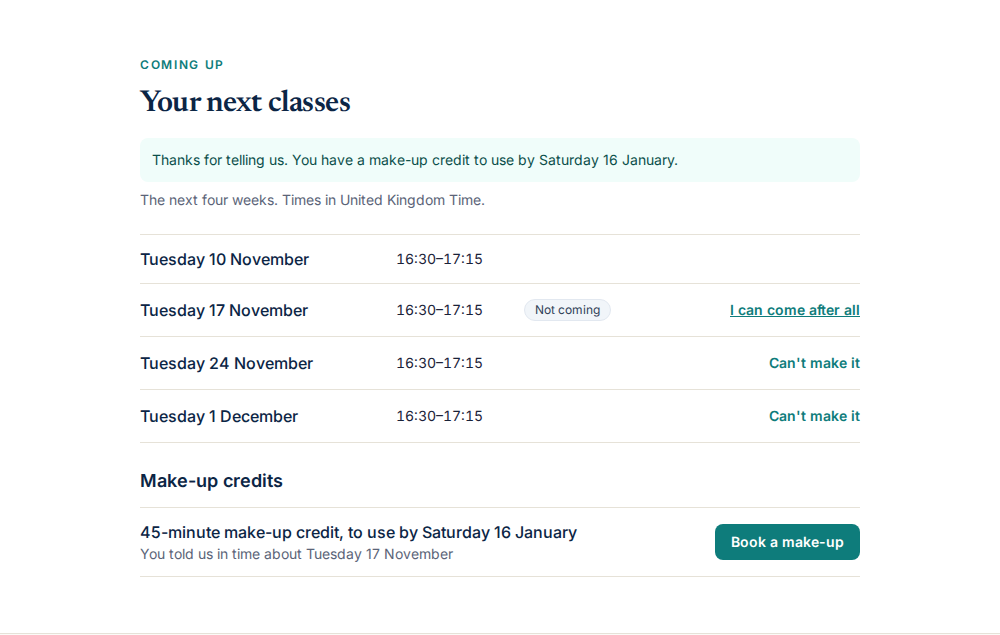
Parents: what a family sees and agrees to.
Finding and bringing in pupils
An enquiry form
Your own form for new families, with the courses you choose and your own questions. Enquiries land in one list for staff to follow up, and the ones who join get their invitation in one step.
A web page for the school
One public page with a headline, about and contact text, your courses and their weekly times, and an Enquire button. On your own web address it is the first thing visitors see. One-to-one slots are not listed on it.
Bring your school over
Upload a spreadsheet with one row for each weekly lesson. It is checked, up to 300 rows a file, before anything is added or sent, and families are invited. Type an instrument's name to get its course ready for classes.
Families you can trust with children
Children learn under a parent’s account, with the parent’s consent, and nothing about them is kept before the parent agrees.
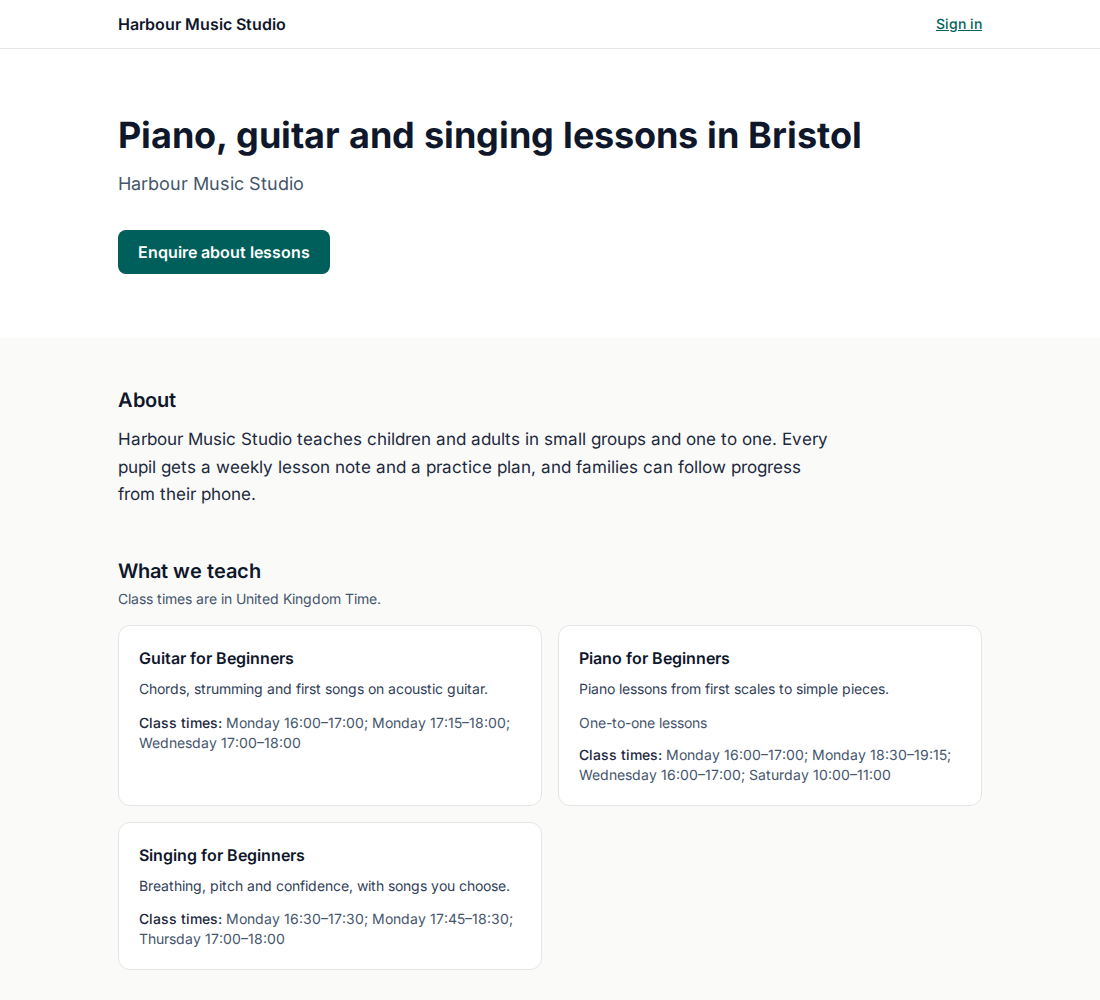
More on the enquiry form and studio website.
What stays with your other tools
The Skill Site does not invoice families, take payment for lessons or work out what teachers are paid. Keep the tool you use for that; it is for teaching, scheduling and families.
Setup is written up in the music school guide. Using My Music Staff or Opus1 today? See My Music Staff compared and Opus1 compared, or teaching alone on music teachers.
What it costs
Prices are in US dollars a month, excluding taxes.
Teacher adds unlimited pupils, 25 GB of files for each teacher, your own web address and name, and support with a reply within one business day. See all prices.
Questions and answers
Does it send invoices or pay my teachers?
No. It does not invoice families, take payment for lessons or work out teacher pay. Keep the tools you use for those: a studio-management tool can do the billing next to this one for teaching, scheduling and families.
What does it cost for my school?
Teacher is $9 a month for the first teacher and $3 for each teacher after that, so $15 a month for 3 teachers and $30 for 8. Pupils and parents are never counted, and there is no limit on pupils. Teachers are everyone on your staff who signs in. Prices are in US dollars, excluding taxes. The free plan has up to 30 pupils for one person, with no time limit.
What does the Teacher plan leave out?
Coding, AI hints, notebooks and labs, LMS links (LTI), SCORM, xAPI, the API and embeds, client access and off-the-job hours are in the Training plans, not the Teacher plan. If you teach coding as well, the free plan includes them too: see pricing.
What happens when I stop?
If your Teacher subscription ends, your organisation continues on the free plan, with up to 30 pupils, and nothing is erased; you can subscribe again at any time.
Can I move my school over from another tool?
You can upload a spreadsheet of your pupils, one row for each weekly lesson, up to 300 rows a file, and check it before anything is sent. There is no importer for another product's own export, and billing history stays where it is. The music school guide in the help centre walks through it.
Can I use it for children?
Yes. A parent agrees before anything about their child is kept, children learn under the parent’s account and never get a sign-in of their own, and a parent can withdraw consent at any time. The families page is written so you can forward it.
Bring your school over
Start free with up to 30 pupils and no card, or tell us how your school runs today and we will show you its calendar set up.