Scheduling
A school timetable that copes with absent teachers and missed lessons
Run every teacher's and every room's classes from one calendar, move or cover a single class without upsetting the rest, and let families book make-ups from the teacher's open time, within the rules you set.
Last checked
The calendar
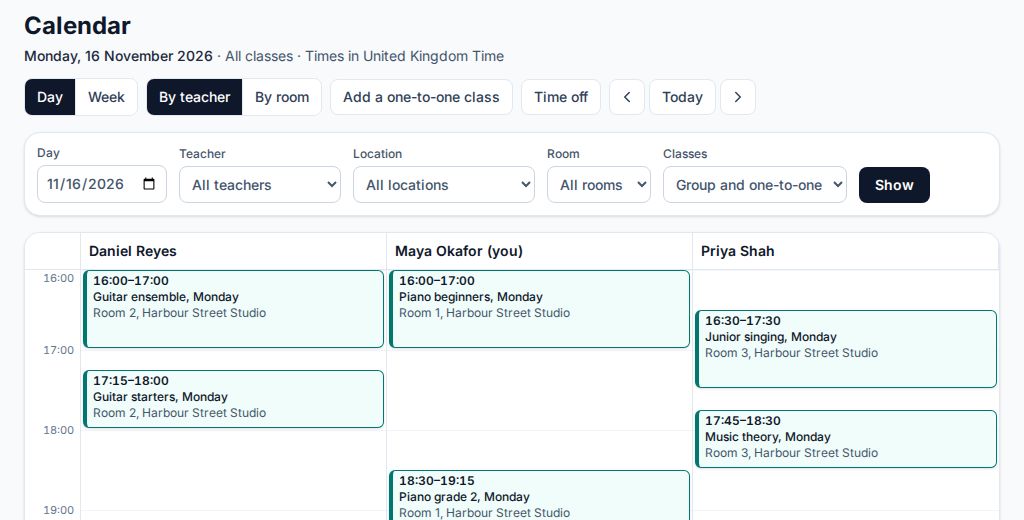
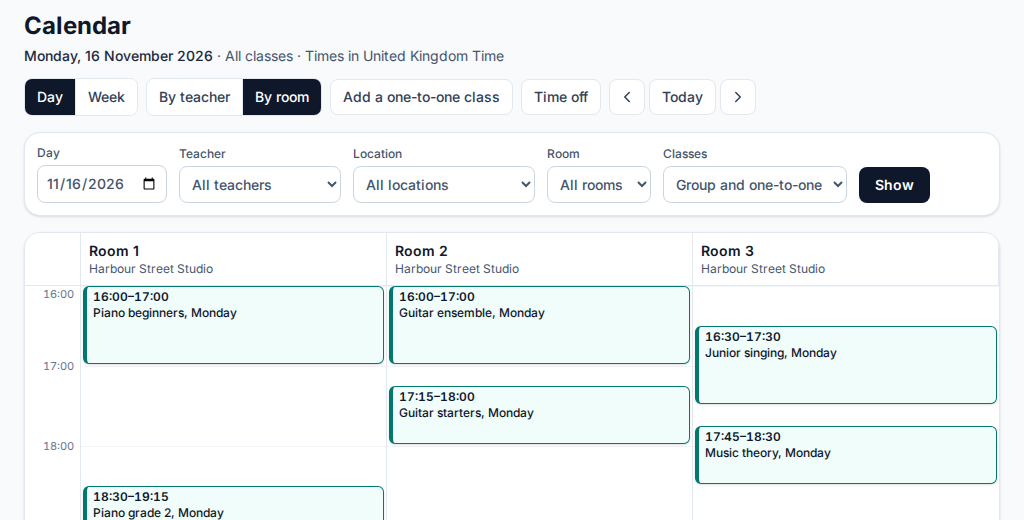
One calendar for the whole school
Every class on one page: a day with a column for each teacher or for each room, one teacher or room for the week, and a plain list on a phone. An instructor sees their own pupils in full and other teachers' classes only as busy times.
Clashes checked for you
Adding, moving or covering a class checks the teacher's and the room's other classes first, even when two people book at the same moment. A class with no teacher holds no one's time.
Teaching hours and open time
Set each teacher's weekly teaching hours. Their free time is shaded on the calendar, and a free stretch of 30 minutes or more links to the one-to-one form, filled in.
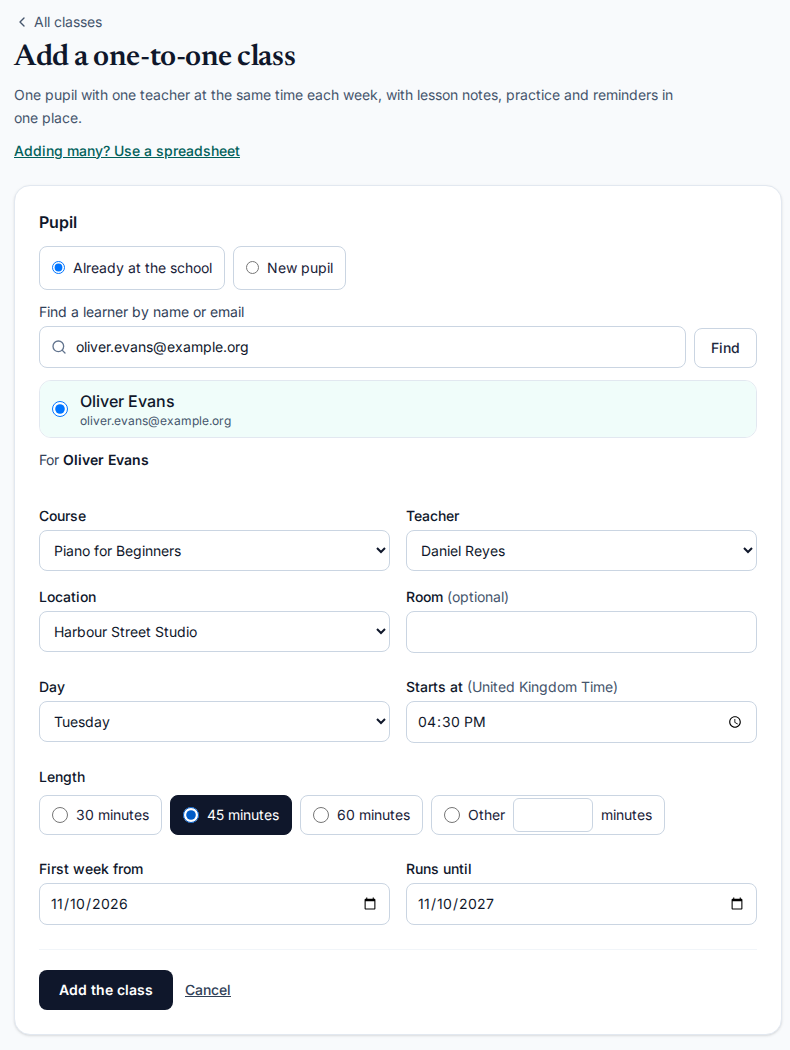
One-to-one classes in one form
Add a pupil's weekly lesson with a course, teacher, place, day, time and length. It is a class of its own, with its own register, lesson notes, practice log and reminders, and a child joins with a parent's consent.
When the week does not go to plan
Move one class
Staff who teach the batch, or an admin, move a single class to another day, time or room, or change its link, and put it back. Learners, or a child's parents, can be emailed, and the reminder follows the new time.
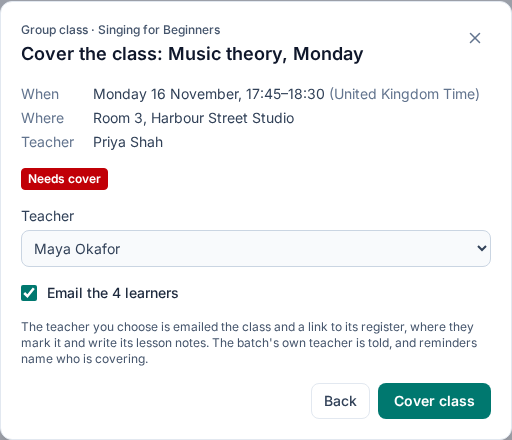
Cover for a teacher
An admin picks a substitute who is free then and not away. The substitute is emailed, marks that class's register and writes its lesson notes, and sees nothing else of the batch. Learners are told if you tick the box.
Teachers' time off
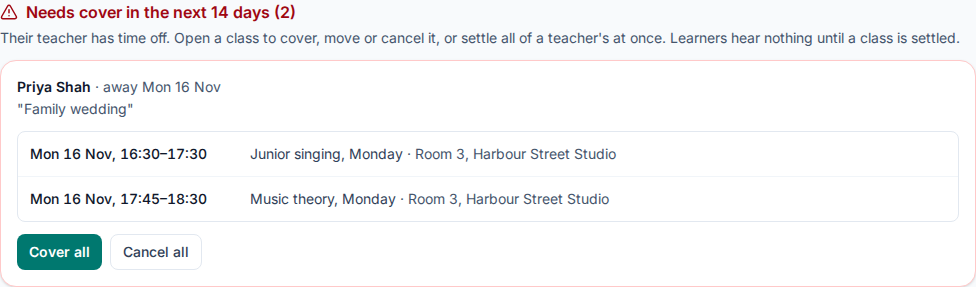
A teacher asks, an admin approves with a reply, and every class that teacher would take is listed as Needs cover until it is covered, moved or cancelled. Cover all and Cancel all settle a stretch of classes at once.
Cancelled classes and holidays
Cancel one class and tell its learners why, or add time off for the whole school. A called-off class is not a session in the attendance report and carries through to the calendar file.
Make-up classes
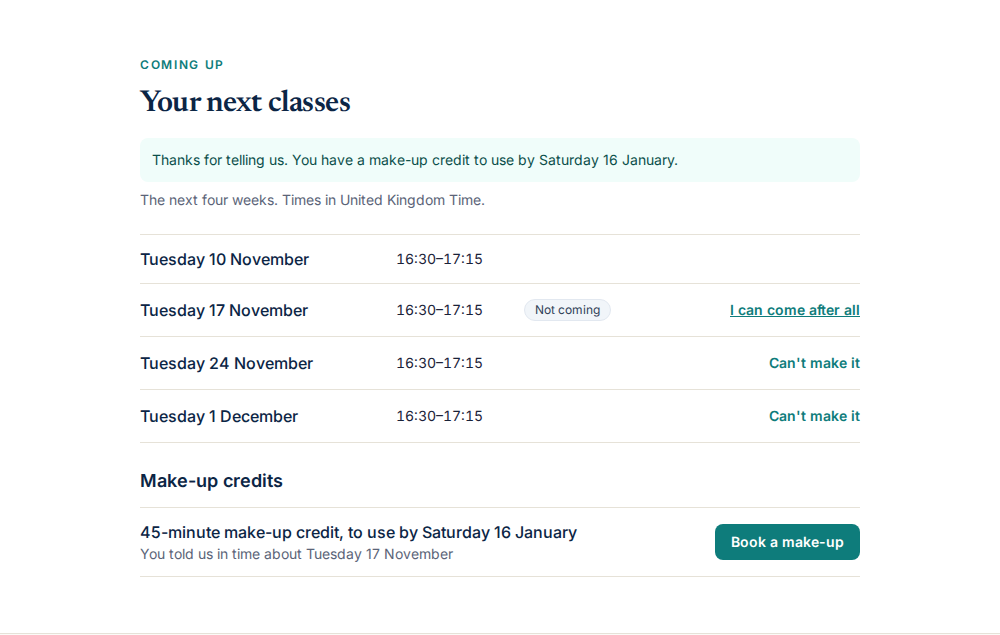
Families say they cannot come
On the pupil's page, a family chooses Can't make it on a class, with a note for the teacher. Your own notice rule decides whether that earns a make-up credit.
Credits from your rules
An admin turns make-ups on and sets the notice needed (24 hours to start), how long a credit lasts (60 days), how many can be open at once and how far ahead families may book. A credit also comes from a class the school cancels, or from staff.
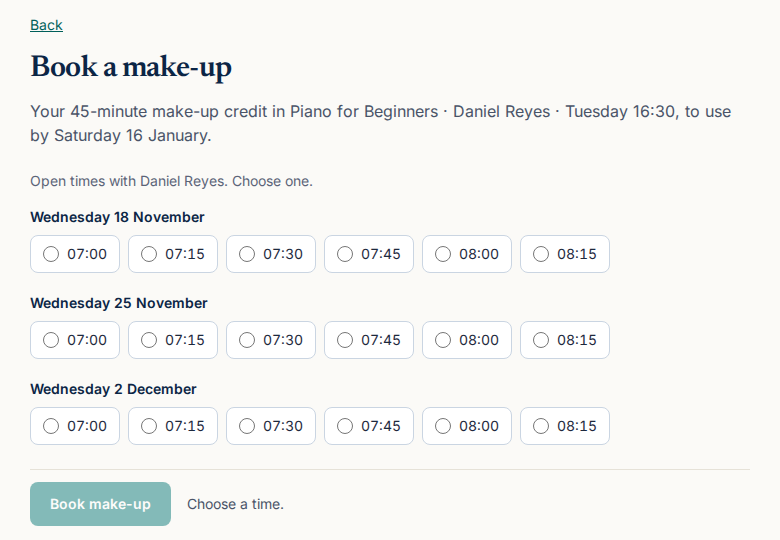
Booked into open time
The family chooses from the teacher's open times. A booked make-up is a class like any other: it shows on the calendar, the register and the reminders.
The school stays in control
Staff can give or withdraw a credit, and book or change a make-up for a pupil. School time off that lands on a booked make-up cancels it and gives the credit back.
Images show an imaginary school, Harbour Music Studio. Next: attendance, enquiries and a studio website, class links and Zoom or Teams registers, pricing. For a school with several teachers, see The Skill Site for music schools or the music demo.
Questions and answers
Which plans include scheduling, cover and make-ups?
Every plan: the trial, the free plan (up to 30 pupils), the Teacher plan ($9 a month for the first teacher and $3 for each extra one) and the Training plans. Nothing here is held back from the Teacher plan.
Are make-ups switched on for everyone?
No. Make-up credits are off until an admin turns them on in Settings, and they apply to one-to-one classes only.
Does it handle invoicing or teacher pay?
No. Invoicing, payments and teacher pay stay with the tools you already use. The Skill Site schedules, tracks attendance and reports teachers' available, booked, taught and open hours, with a CSV.
What happens to a class when its teacher is away?
Once their time off is approved, the class shows as Needs cover. Families hear nothing until you cover, move or cancel it.
Can a teacher see other teachers' pupils?
An instructor sees the classes they teach, cover or assist in. Everyone else's classes appear only as busy blocks, with no course, batch or pupil.
Can I import my current pupils?
Yes. A spreadsheet of one-to-one pupils is checked first without saving anything, then added row by row. The music school page says more.
Try it with your next class
Start a 30-day free trial with up to 30 learners and no card, or see the demo for your kind of class and book a call with us.