Client view and reports
Show each employer how its people are getting on
Employers who pay for training want proof. Invite their people to a page of their own learners, with attendance, hours and results, and print a report on any learner for the file.
Training plans In the Training plans, the 30-day trial and the free plan; not in the Teacher plan. Pricing
Last checked
The client view
Your clients, kept apart
Record each employer you train people for. An admin invites a work email for a client; that person never becomes staff or a member, and sees only that client's learners.
A page for each employer
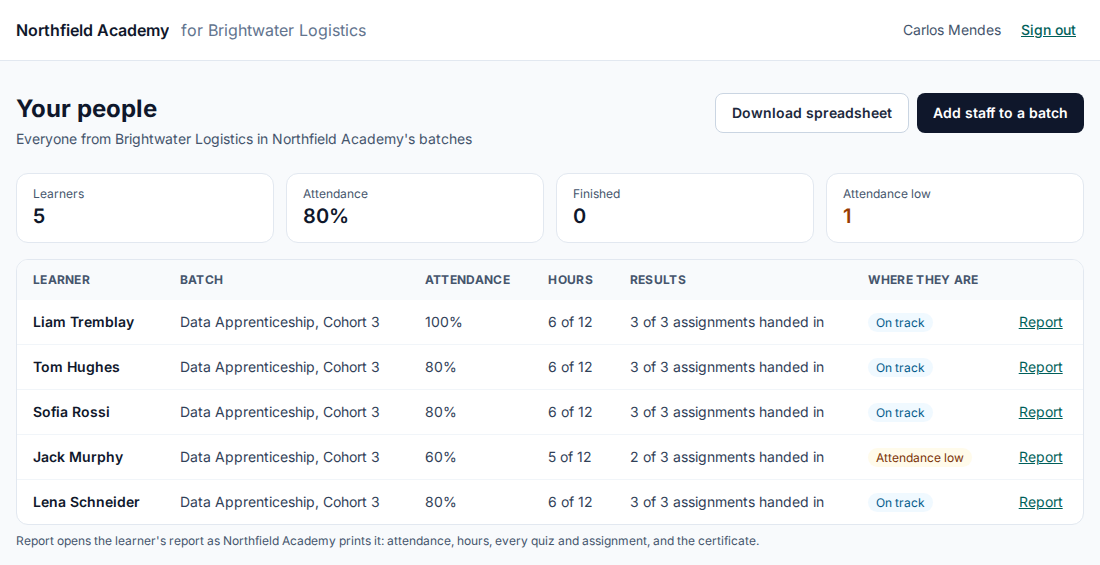
Their learners in the batches you open to them, with attendance, hours against plan, results and where each one stands: invited, not started, on track, attendance low or finished. A spreadsheet download comes with it.
A report for each learner
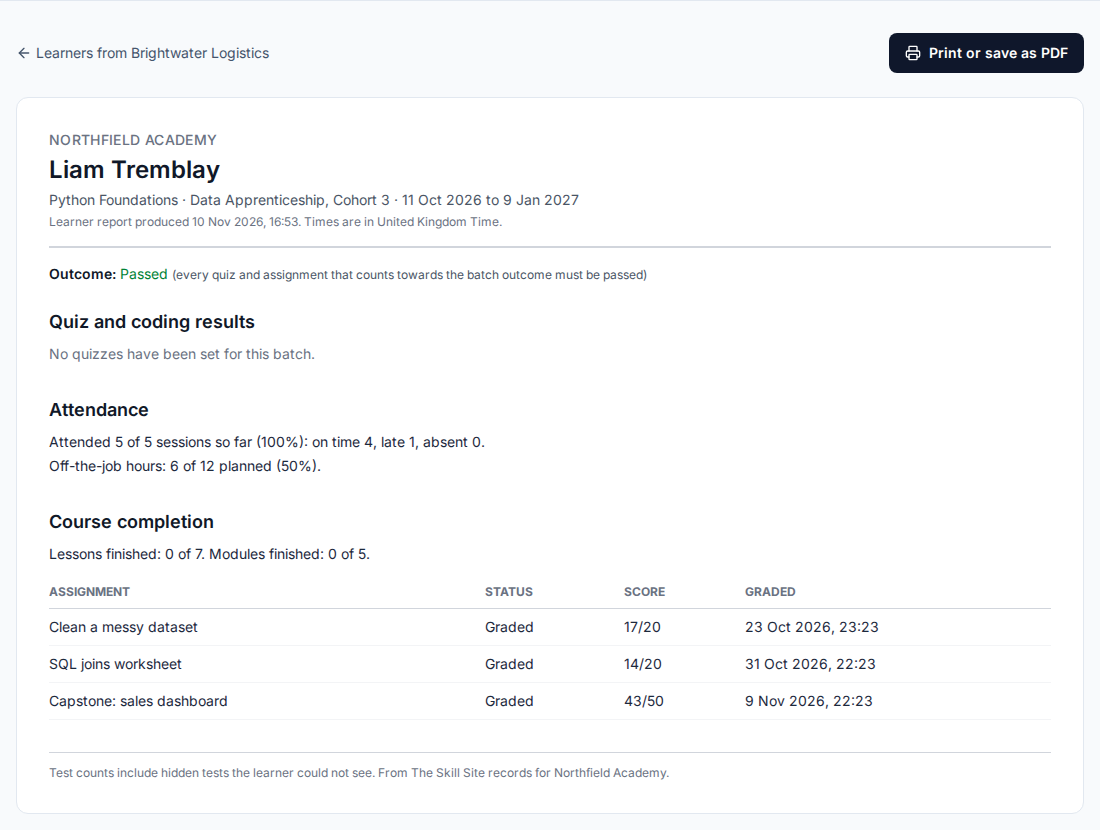
Outcome, attendance, hours and assignments, as the employer would want to read it. It never shows code, tests, answers, AI hints or contact details.
Their own staff, in your batches
A client can add its own people to a batch you ticked for it, up to 200 at a time, typed or from a spreadsheet. A reply never says whether an address already has an account.
Reports and certificates
Every plan On the Teacher plan, every Training plan, the trial and the free plan.
A printable report on every learner
Staff open a learner's report for a batch and print it to PDF: outcome, quiz results, attendance, assignments and off-the-job hours. It names the learner without their username or email.
Certificates anyone can check
Issue a certificate of completion from the report. It carries a public page where an employer or a learner's next employer can confirm it. Revoking keeps the record.
Your name on it
Your logo and brand colour appear on certificates and reports on every plan, and on your own web address on a subscription.
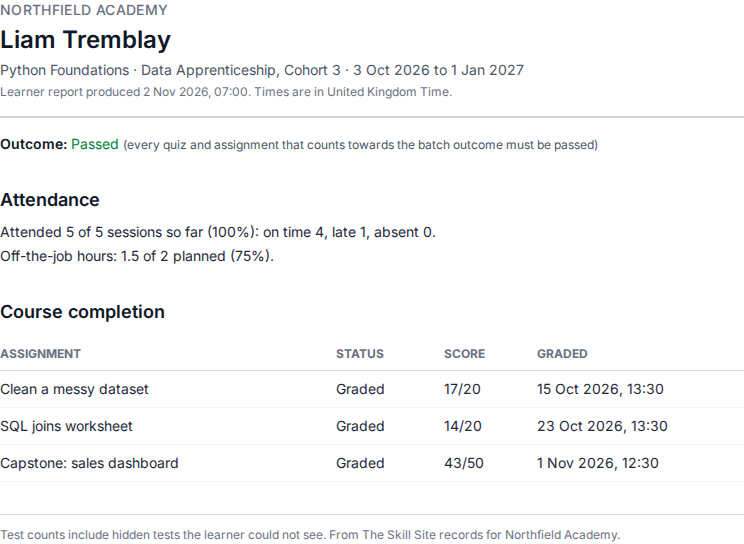
Images show an imaginary school, Northfield Academy. See also attendance and learning hours, student privacy and security, or step through the training provider demo.
Questions and answers
Which plans include the client view?
The client view and off-the-job hours are Training features. They are in the free trial, the free plan and the Training plans (from $99 a month). The Teacher plan leaves them out; learner reports and certificates are in every plan.
Do employers need to buy anything?
No. Employers are invited by their email and see only what you choose to show them. They are not charged and never count as staff or learners.
What can an employer never see?
Learners' code, tests, answers, AI hints and contact details. The employer's report is built from a fixed list of fields.
Can an employer see a child's work?
No. A child cannot be linked to a client.
Is the report a signed progress review?
No. It is evidence from the batch: attendance, hours, results and assignments. Signed tripartite progress reviews are not part of the product.
Try it with your next cohort
Start a 30-day free trial with up to 30 learners and no card, or see the demo for your kind of class and book a call with us.