Demo
See The Skill Site for your kind of class
See the product before you talk to anyone. Pick the kind of class you run and step through the screens a teacher and a learner use, try a coding exercise marked by hidden tests, or book a call. The pictures use invented schools and learners.
Last checked
Music: a pupil records, the teacher replies
For a teacher who sets pieces and hears them back, and a school that runs one-to-one lessons.
Step 1 of 5
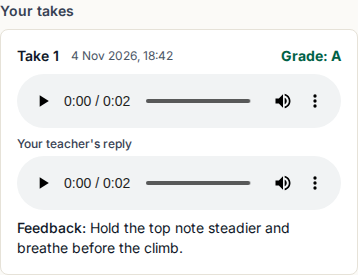
A pupil records a take on a phone, or uploads one. Here it is graded with a letter and a comment.
Read more on the music page.
Languages: speaking tasks and marked quizzes
For a language teacher who wants speaking practice heard and everything else marked for them.
Step 1 of 3
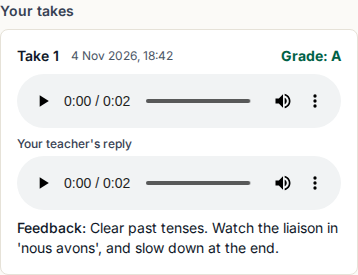
A learner records a speaking task and sees the grade and comment on their phone.
Read more on the languages page.
Speech and drama: performances heard and answered
For a teacher who sets a poem or a monologue and wants to answer in their own voice.
Step 1 of 2
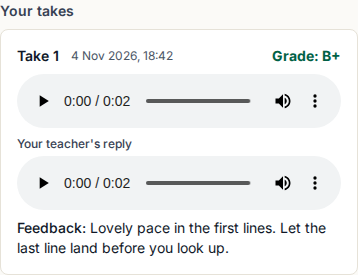
A pupil records a performance, and may record again until it is handed in.
Read more on the speech and drama page.
Tutors: lessons, enquiries and marked practice
For an independent tutor with a handful of pupils who wants to look organised and save evenings.
Step 1 of 4
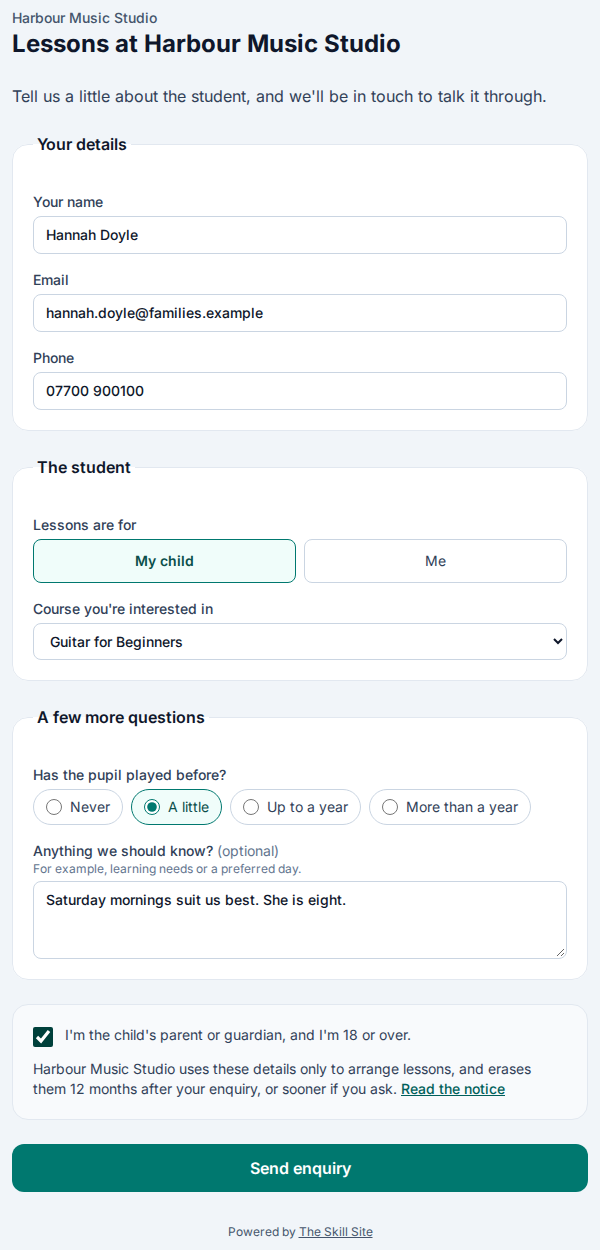
A parent or adult asks about lessons on your own form, with questions you chose.
Read more on the tutors page.
Schools: marks, rubrics and families
For a school or college that grades each learner’s work and keeps families informed.
Step 1 of 4
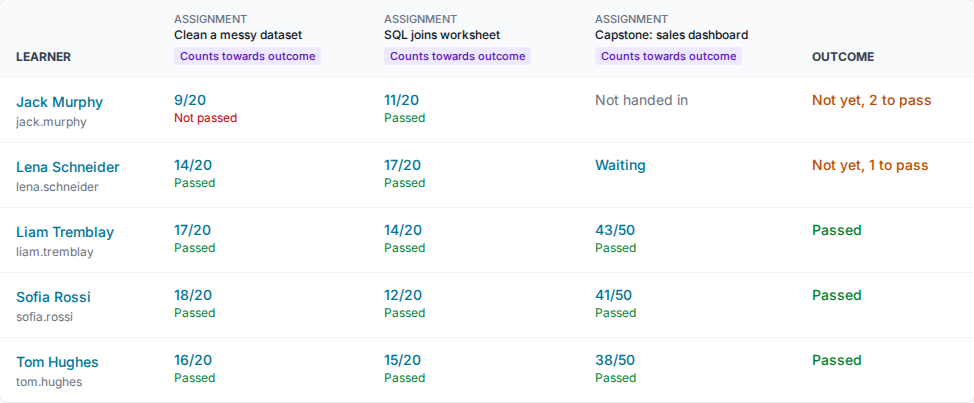
The gradebook lists each learner against every assignment and quiz, with an outcome you set the rules for.
Read more on the schools page.
Universities: fair grading, late work and regrades
For a department that marks many learners’ work and has to explain each mark.
Step 1 of 5
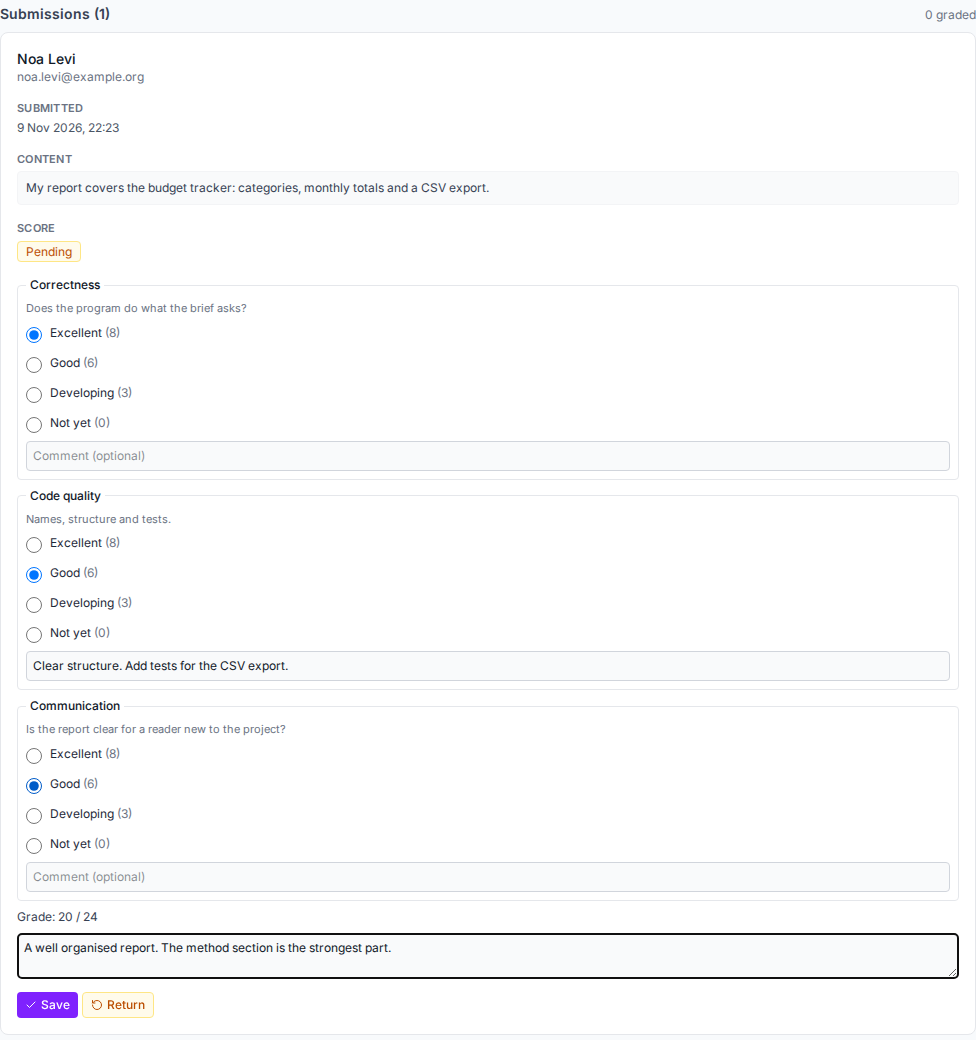
Marking with a rubric: a level for each criterion, a comment, and the total worked out for you.
Read more on the universities page.
Training providers: what the employer sees
For a provider that trains people for employers and reports on each learner.
The employer’s view and off-the-job hours are in the Training plans, not the Teacher plan.
Step 1 of 4
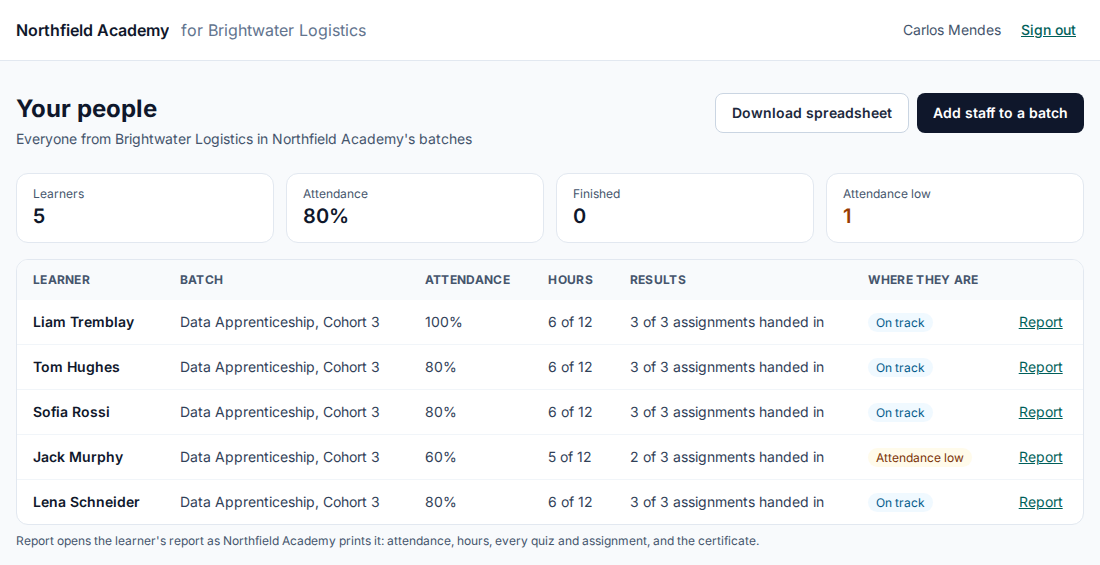
The employer signs in and sees only its own learners: attendance, hours, results and where each is.
Read more on the training providers page.
Apprenticeships: hours, attendance and the employer’s report
For a provider that has to show off-the-job hours and progress for each apprentice.
Off-the-job hours and the employer’s view are in the Training plans, not the Teacher plan.
Step 1 of 3
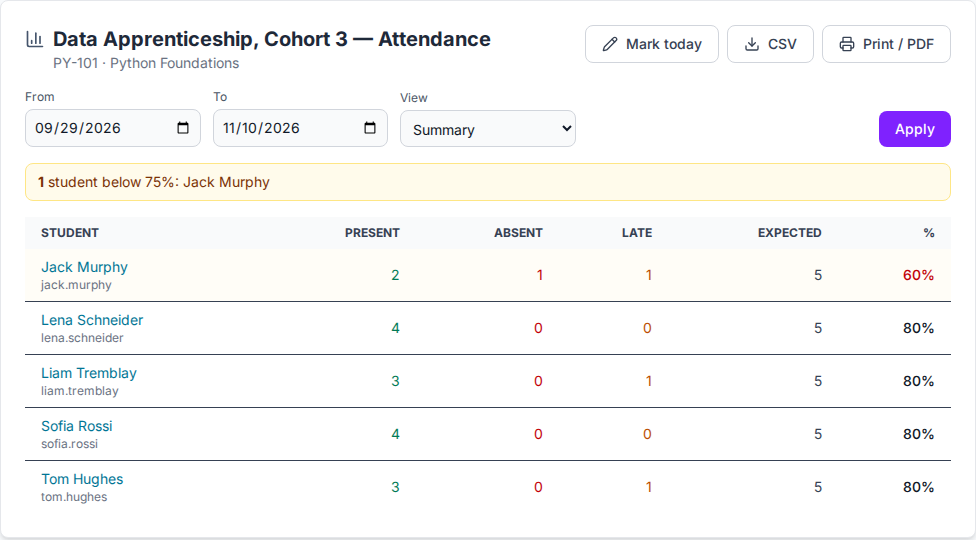
Attendance for a batch from the register, with anyone below your threshold marked.
Read more on the apprenticeships page.
Coding: hidden tests mark the hand-in
For a bootcamp or course that wants code marked by tests learners cannot see.
Coding questions and assignments are in the Training plans, not the Teacher plan.
Step 1 of 2
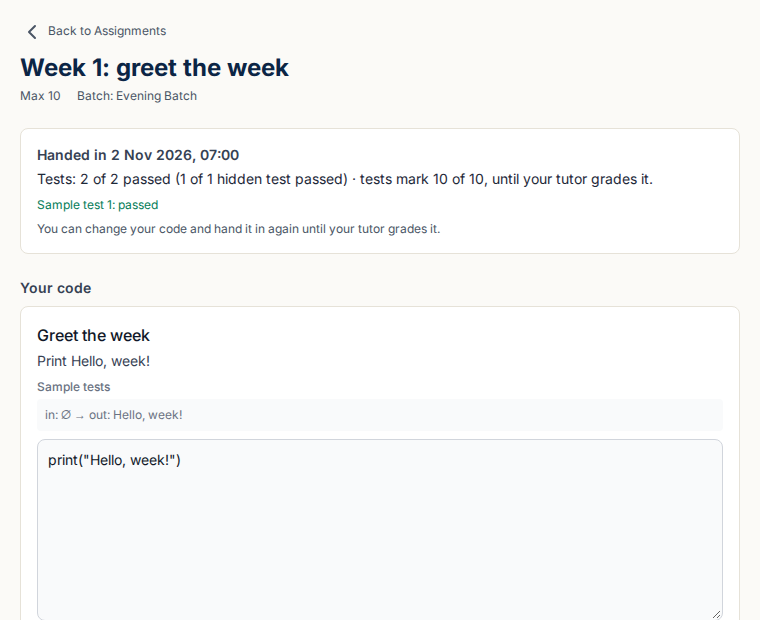
A hand-in is marked with every test, hidden ones included. The learner sees how many passed and can hand in again until you grade it.
Read more on the coding page.
Try it yourself
Pick a language and change the code. Your check runs the 3 examples and 2 tests that stay hidden, as a learner’s hand-in does.
Largest number
The input is one line of whole numbers separated by spaces. Print the largest of them.
The starter code passes the examples. Check it to see what the hidden tests find, then fix it.
Your code runs on the code runner learners use, and is not kept. You can check it 5 times in 10 minutes.
Tests
- Example 1
- Input
- 3 9 4
- Expected
- 9
- Example 2
- Input
- 12 5 30 7
- Expected
- 30
- Example 3
- Input
- 8
- Expected
- 8
- 2 hidden tests
You see how many pass, never what they are, as learners do when their work is marked.
Prefer to talk it through?
Tell us what you teach and we will show you your own kind of class.
Questions and answers
Are these real customers?
No. The pictures are made with invented data for two imaginary organisations, Northfield Academy and Harbour Music Studio.
Can I try it myself?
Yes. Start a 30-day free trial with up to 30 learners and no card, with a sample course and quiz already in it. The coding exercise on this page needs no account at all.
What does the coding exercise keep?
Nothing. The code you type is run on the same runner learners use, marked, and not stored. A check is limited so that one visitor cannot use up the runner.
Does a call cost anything?
No. Book a 30-minute call above, before you choose a plan. The Training plans also include a setup call once you subscribe.
Try it with your next class
Start a 30-day free trial with up to 30 learners and no card. It has every feature but your own address and name, and a sample course and quiz to start from.